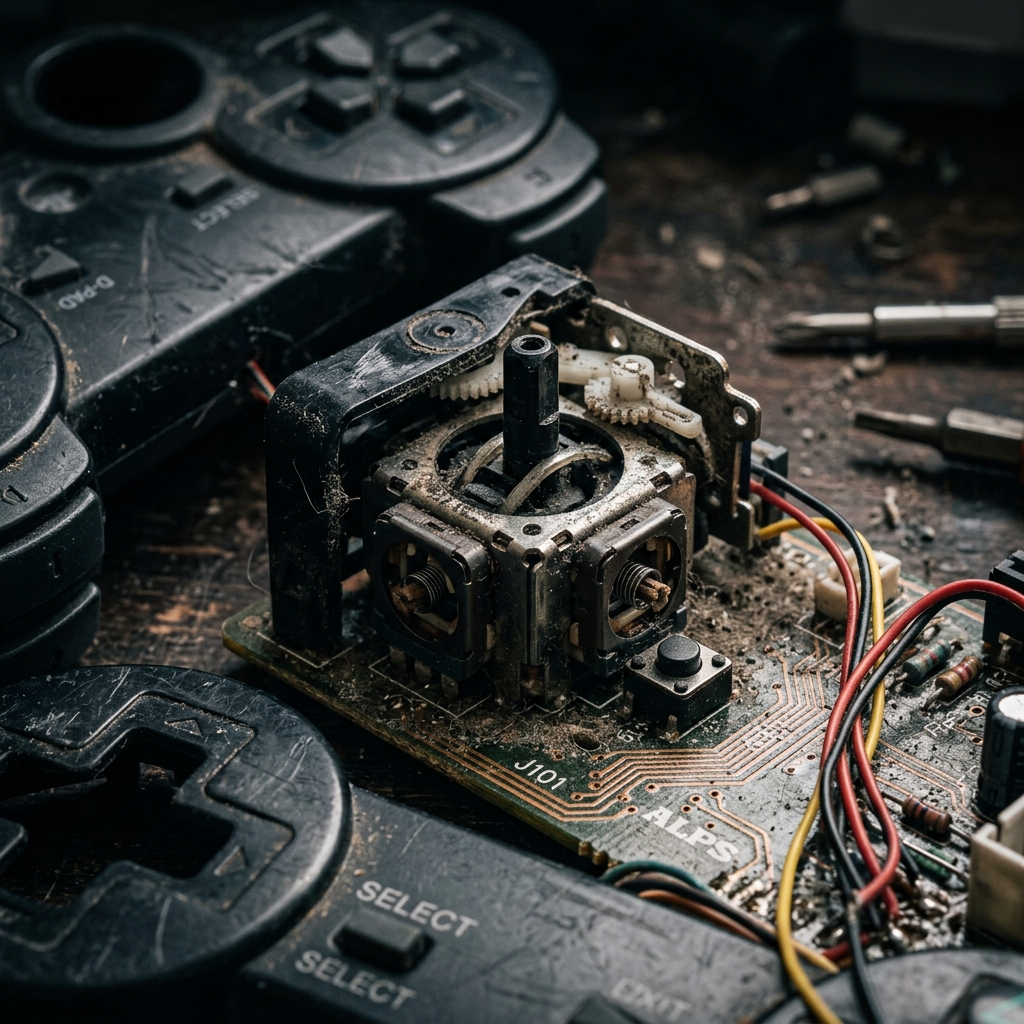
You sit down to play, you have not touched the stick, and your character is already walking into a wall — stick drift is one of the most frustrating things that can happen to a controller, and it always seems to show up at the worst possible moment.
The good news is that stick drift is almost never a death sentence for your controller — most causes are diagnosable at home, and most fixes cost nothing or very little.
GamepadTester gives you a fast, browser-based way to confirm drift in real time, so you are not guessing about whether the problem is actually there before you start pulling things apart.
This guide covers every reason why stick drift happens, which controllers get hit hardest, how to run a proper drift test, and the exact steps to fix and prevent it going forward.
What Is Stick Drift? (Quick Answer)
Stick drift is when your controller's analog stick sends movement data to your console or PC without you actually touching it. The stick is supposed to sit at a perfect zero position when you let go — meaning the X and Y axis both read 0.0 and nothing in-game moves. When drift creeps in, those readings shift off-zero on their own, and your game reacts as if you are pushing the stick.
It is a hardware issue in the overwhelming majority of cases — not a game bug, not a network problem, not something a software update will automatically fix. The sensor inside the stick is either dirty, worn, damaged, or was never quite right to begin with.
Once you understand that, the causes and fixes start to make a lot more sense.
The Real Reasons Stick Drift Happens
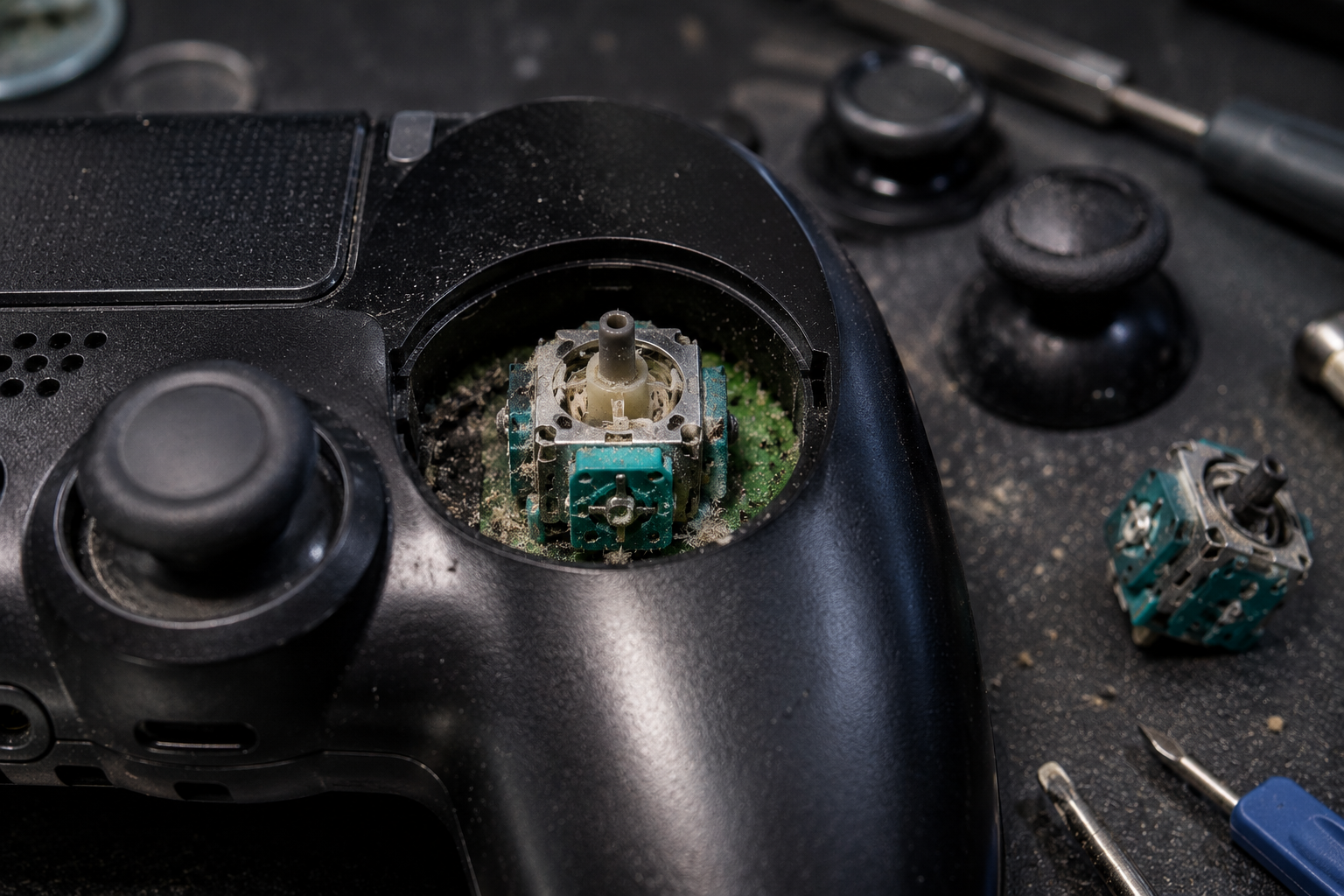
Most people assume drift just means the controller is old and worn out. Sometimes that is true — but there are actually five distinct causes, and knowing which one you are dealing with changes how you fix it.
Dust and Debris Build-Up Inside the Stick
This is by far the most common cause of analog stick drift, especially in controllers that are one to two years old. Tiny particles of dust, skin cells, and debris work their way into the gap around the base of the stick over time. Once inside, they press against the sensor and push its resting position slightly off-center. The stick reports a non-zero value even when you are not touching it, and drift begins. The reason this cause is actually good news is that it is usually fixable with just compressed air and a few minutes of your time.
Worn Potentiometer Contacts from Heavy Use
Inside most analog sticks sits a component called a potentiometer — it has a small physical wiper that slides along a resistive track to measure how far you are moving the stick in each direction. Every time you push or flick the stick, that wiper rubs against the track. After hundreds or thousands of hours, the contact surface wears unevenly. Once the wear becomes significant, the potentiometer can no longer accurately report a true zero at rest, and drift becomes a permanent fixture. This type of drift progressively worsens and rarely responds to cleaning alone — it usually requires a module swap.
Physical Damage to the Centering Mechanism
The analog stick uses a spring-loaded mechanism to snap back to center when you release it. If you have ever dropped your controller hard, slammed the stick during a frustrating moment, or pressed down on it with more force than necessary, that mechanism can bend or shift slightly out of alignment. When the centering is even slightly off, the stick never quite returns to true zero — and the sensor reads that small offset as input. This cause tends to show up as drift in one consistent direction rather than random movement.
Factory Manufacturing Defects
Some controllers leave the factory with potentiometer components that are simply not built to last. Nintendo Switch Joy-Cons became the most publicized example of this — the issue was so widespread across so many units that Nintendo eventually offered free repairs in most countries, even for controllers that were well outside the standard warranty period. Certain early batches of the PS5 DualSense had similar issues. If your controller is developing serious drift after only a few months of light use, a manufacturing defect is a likely explanation.
Software or Firmware Miscalibration
This is the least common cause, but it does happen. Occasionally a firmware update shifts the deadzone thresholds or sensor calibration values in a way that makes mild hardware imperfection look like active drift. In these cases, updating the controller firmware or running a manual recalibration through your platform's settings can resolve the issue without any physical repair at all. It is worth ruling this out first before touching the hardware.
Why Stick Drift Gets Worse Over Time
Drift rarely stays the same — it almost always gets progressively more severe if the underlying cause is not addressed. Dust accumulation builds up further. Potentiometer wear deepens with every gaming session. A slightly misaligned centering mechanism shifts a little more with continued use. What starts as a barely-noticeable twitch in a quiet moment often turns into full uncontrolled movement within a few weeks or months. Catching and diagnosing drift early is the single best thing you can do for your controller's lifespan.
Which Controllers Are Most Affected by Stick Drift?
Stick drift can technically happen to any potentiometer-based controller. But some are hit significantly harder than others.
Nintendo Switch Joy-Con Drift
Joy-Con drift became so widespread that it sparked class-action lawsuits in multiple countries and eventually led Nintendo to offer free out-of-warranty repairs globally. The Joy-Con's small form factor and the specific potentiometer components used in early production runs made them particularly vulnerable. If you own a Switch, there is a reasonable chance you have already experienced this firsthand.
PS5 DualSense Stick Drift
The DualSense launched to widespread praise for its haptic feedback and adaptive triggers, but a significant number of early units developed analog stick drift within the first year. Sony has acknowledged the issue and covers repairs under warranty. The DualSense uses the same potentiometer-based stick design as most modern controllers, which means it carries the same long-term wear risk.
Xbox Series X/S Controller Drift
Xbox controllers have generally shown better durability than their PlayStation and Nintendo counterparts, but they are not immune. Drift does develop with enough use, and the Xbox Accessories app provides one of the more detailed built-in testing tools available on any major platform for catching it early.
How to Test If Your Controller Has Stick Drift
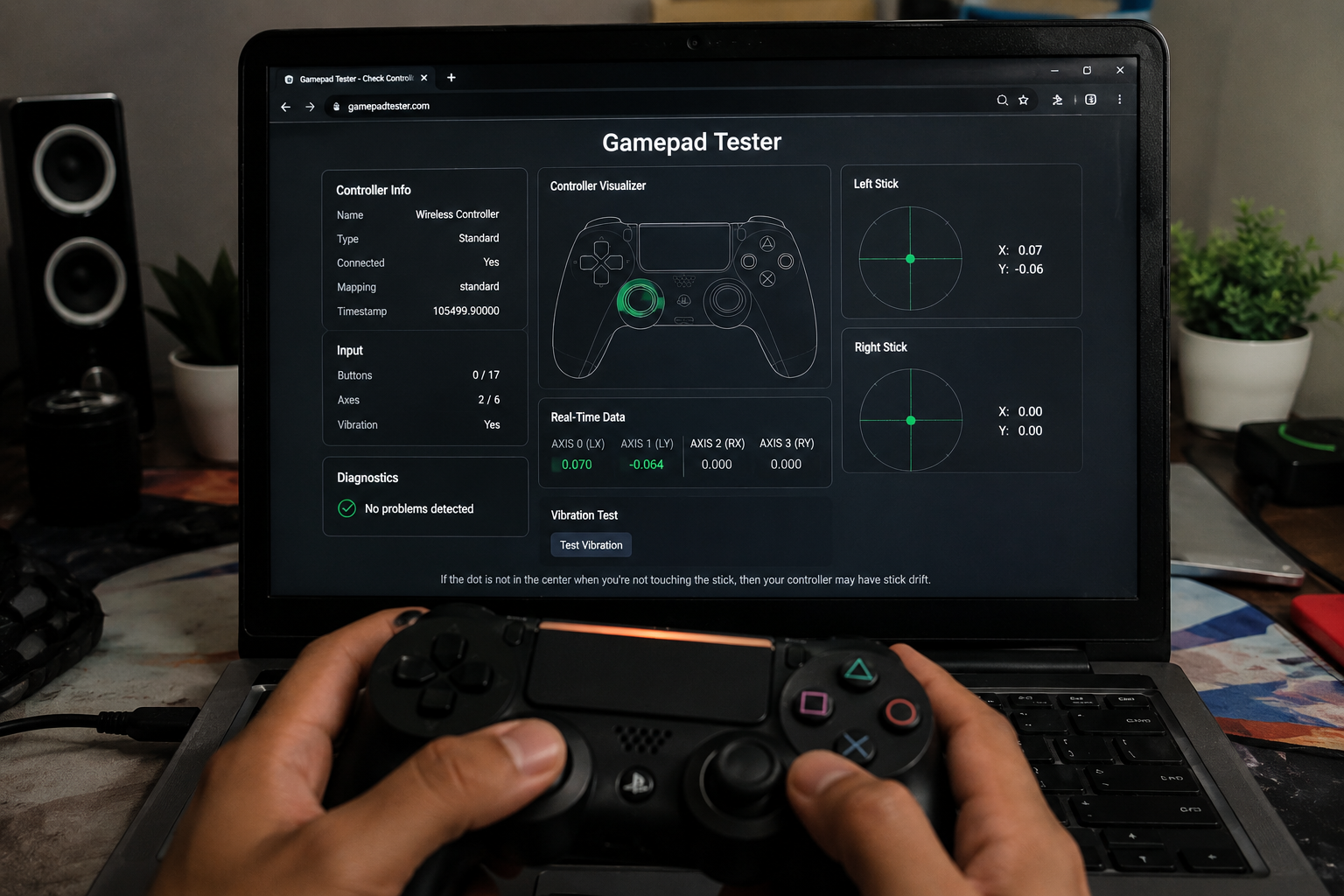
Before you start cleaning or replacing anything, confirm that drift is actually present. The fastest way is to open GamepadTester in Chrome or Edge, connect your controller via USB or Bluetooth, press any button to activate it, and then completely release both sticks without touching them. The on-screen axis indicators should stay perfectly centered. If either stick moves on its own — even slightly — drift is confirmed. The raw X and Y values should both sit very close to 0.0 at rest; anything consistently above 0.05 is a clear drift reading. Rotate each stick in a slow full circle too, and watch for jerky tracking or dead spots, which point to deeper sensor wear.
How to Fix Stick Drift — Step by Step

Step 1 — Clean the Analog Stick Base
Power off the controller completely. Use a can of compressed air to blast several short bursts around the base of the analog stick from multiple angles. For more stubborn debris, apply a small amount of 90% or higher isopropyl alcohol on a cotton swab, work it around the stick base, and move the stick in every direction to help it reach the sensor. Let the controller dry for at least 30 minutes, then retest on GamepadTester to see whether the drift has reduced or cleared.
Step 2 — Recalibrate Through Your Console
After cleaning, run a fresh calibration using your platform's built-in tools. On PS5, go to Settings, then Accessories, then Controllers, and use Test Input Device. On Xbox, open the Accessories app and use Check Stick Input. On Nintendo Switch, go to System Settings, then Controllers and Sensors, then Calibrate Control Sticks. Calibration resets the software baseline and works best after physical cleaning rather than as a standalone fix.
Step 3 — Update Controller Firmware
Both Sony and Microsoft release firmware updates that can adjust deadzone compensation and sensor readings. Check your controller settings or companion app for any pending updates and install them before moving to hardware repair. This step takes two minutes and occasionally resolves drift that cleaning alone did not fully fix.
Step 4 — Replace the Joystick Module
If cleaning and recalibration do not solve the problem, the potentiometer is too far gone to recover. Replacement joystick modules are widely available online for most major controllers and typically cost between five and fifteen dollars. The replacement requires a basic screwdriver set and a spudger. If you would rather not open the hardware yourself, most controller repair shops handle this job routinely, and manufacturer service centers will often do it free if the controller is still under warranty.
How to Prevent Stick Drift From Happening Again
A fixed controller can drift again if the habits that caused it the first time do not change. Keep your controllers stored in a clean, covered space when you are not using them. Avoid eating or drinking over your controller. Try not to press into the sticks with more force than necessary during intense gameplay. Run a quick check on GamepadTester every couple of months as part of routine maintenance so you catch any drift early before it worsens. If you want a long-term solution, controllers with Hall effect sensors use magnets instead of physical contacts and are fundamentally resistant to the potentiometer wear that causes most drift.
Frequently Asked Questions
Why does stick drift happen suddenly on a controller I barely use?
Low-use controllers actually collect dust more readily because they sit still in storage for long periods. Dust settles into the stick mechanism and pushes the sensor off-center even without physical wear. A thorough clean with compressed air is usually all it takes to resolve drift that appears on a lightly-used controller.
Can stick drift fix itself over time?
No — drift caused by hardware issues does not resolve on its own and almost always gets progressively worse with continued use. If you notice drift, address it now rather than waiting. The longer a worn potentiometer or debris-affected sensor keeps working in a degraded state, the more the problem compounds.
Why does my controller only drift when it gets warm?
Heat causes the metal and plastic components inside the stick mechanism to expand slightly. If your potentiometer is already worn close to the threshold, that thermal expansion can push it just enough to start producing drift readings. A controller that drifts only when warm is showing early signs of potentiometer wear and will likely develop persistent drift within a few months.
Does stick drift happen on wired controllers too?
Yes. Stick drift is a hardware issue with the physical sensor inside the stick — it has nothing to do with how the controller connects to your device. Wired and wireless controllers use the same potentiometer or Hall effect stick designs and are equally susceptible to the same causes of drift.
How do I know if my drift is a hardware or software problem?
Run a calibration reset through your platform's settings first. If drift disappears after recalibration, it was a software offset. If it comes back within a session or does not respond to calibration at all, the issue is in the hardware — either dust, wear, or physical damage. GamepadTester lets you see the raw axis values and confirm which category you are dealing with before doing anything else.
Why does stick drift happen on a brand new controller?
New-controller drift almost always points to a manufacturing defect — a potentiometer component that was not within proper tolerance when it left the factory. This is covered under warranty with every major manufacturer, so register your controller and contact support before spending anything on repairs or replacements.
Is stick drift covered under the manufacturer warranty?
Yes, for most controllers within the standard warranty window. Nintendo has gone further and extended free Joy-Con drift repairs beyond the standard period in many countries due to the scale of the issue. Sony and Microsoft both cover DualSense and Xbox controller drift repairs under their standard one-year warranties. Contact the manufacturer directly before paying for any third-party repair.
Do Hall effect controllers actually prevent stick drift?
Hall effect sticks use magnets to measure position instead of a physical wiper rubbing against a resistive track, which means there are no contact surfaces to wear down. They are not completely immune to every form of drift, but they eliminate the most common cause by design. For anyone who games several hours a week, the longer lifespan of a Hall effect controller makes it a genuinely worthwhile upgrade.
Final Thoughts
Stick drift happens because the hardware inside analog sticks was not designed to last forever — potentiometers wear, dust gets in, and manufacturers do not always use the best components available.
The causes are well understood, the fixes are accessible, and catching drift early before it gets severe is the single most important thing you can do.
Run a test on GamepadTester right now — it takes two minutes and tells you exactly where your controller stands before you commit to any repair.
Clean first, recalibrate second, replace the module only if you have to — that order works for the vast majority of cases and saves most controllers from ending up in the bin.
Your controller is almost certainly fixable. Now you know exactly why it drifted and exactly how to stop it.
More Stick Drift Guides
- Analog Drift Test — Detect and Fix Controller Stick Drift
- Can You Fix Stick Drift Without Opening the Controller?
- How to Fix Stick Drift on PS5 Controller
- How to Fix Xbox Stick Drift — Causes, Tests & Solutions (2026)
- Stick Drift Test: Check Your Controller for Drift Online
- What Is Stick Drift? Causes, Symptoms, Testing and Fixes Explained