You are in the middle of a match and your character starts walking on its own. Or you line up a shot and the crosshair slowly drifts off target before you even pull the trigger. Sound familiar? That is stick drift, and if you game on a PS5, Xbox, PS4, or Nintendo Switch, there is a decent chance you have already dealt with it at some point.
Stick drift is not always obvious at first. It tends to start small and get worse over time, which is why many players blame their aim or the game itself before realizing the controller is the actual problem. This guide covers everything you need to know — what stick drift is, why it happens, how to confirm it, and the best ways to fix it.
What Is Stick Drift?
Stick drift happens when your controller's analog stick registers movement that you never made. Even when the joystick is sitting perfectly at center, the controller reads it as being pushed slightly in one direction. The result is unwanted in-game movement — a character walking forward on its own, a camera slowly rotating, or an aim that drifts off target without any input from you.
It can range from barely noticeable to completely unplayable depending on how severe the drift is. In mild cases, players adjust without realizing it. In serious cases, the game becomes nearly impossible to control properly.
How Does an Analog Stick Actually Work?
To understand why stick drift happens, it helps to know what is going on inside the controller. An analog stick is not just a simple button. It contains a small module with a gimbal mechanism and two potentiometers — one for horizontal movement and one for vertical. When you move the stick, these potentiometers measure exactly how far and in which direction it has moved, then convert that into a signal the console can read.
The problem is that potentiometers are mechanical parts. They have a physical track inside them that wears down with use. The more hours you put into gaming, the more wear those tiny components accumulate. Eventually, they start sending slightly inaccurate readings — and that is often where stick drift comes from.
What Causes Stick Drift?
There is no single cause. Stick drift can develop for different reasons, and knowing which one applies to your situation matters because the fix is different in each case.
Dust and Debris Buildup
This is the most common cause, especially in controllers used in dusty environments or by players who snack while gaming. Tiny particles work their way under the joystick cap and settle around the sensors. Even a small amount of debris can push the stick slightly off center or interfere with the sensor readings. The drift tends to come and go at first, which is a tell-tale sign that contamination is involved.
Worn Potentiometers
Heavy gaming puts a lot of mileage on those internal components. Once the potentiometers wear past a certain point, they lose the ability to accurately report the stick's position. This type of drift is usually consistent and progressive — it starts mild and gets noticeably worse over weeks or months. Cleaning will not help here because the parts themselves are degraded.
Calibration Errors
Sometimes the hardware is completely fine but the controller has lost track of where the neutral position actually is. This is a software issue rather than a physical one, and it is often the easiest type of stick drift to fix. Recalibrating tells the controller to re-learn where center is, which can eliminate the drift entirely without any cleaning or repairs.
Physical Damage
Dropping the controller, applying too much force to the joystick, or any kind of impact can damage the analog module. Even if the controller looks fine on the outside, internal components can shift or crack in ways that cause persistent inaccurate input.
Manufacturing Defects
Less common, but it happens. Some controllers develop drift unusually early because of quality control issues during manufacturing. If your controller is drifting after just a few months of normal use, it is worth checking whether it is still under warranty before spending time troubleshooting.
Common Signs of Stick Drift
Stick drift shows up in a few recognizable ways. The earlier you catch these signs, the easier it is to fix:
- Character moves without input: Your in-game character walks, runs, or slides in one direction while your hands are not touching the controller.
- Camera rotates on its own: The game camera slowly pans or spins without you moving the right stick. Particularly noticeable in first-person or third-person games.
- Aim drifts off target: In shooters, your crosshair gradually pulls away from where you pointed it.
- Menus scroll by themselves: Navigation menus or inventory screens scroll up or down without any input. This is often one of the first signs players notice.
- Drift gets worse over time: What starts as a minor annoyance gradually becomes a serious problem that affects every session.
Which Controllers Are Most Affected?
Stick drift can develop in any controller, but some have a worse reputation than others:
- Nintendo Switch Joy-Cons have the most widely reported drift problems. Nintendo even faced legal action over it in several countries.
- PS5 DualSense controllers have also seen significant drift complaints, particularly after extended use.
- PS4 DualShock 4 controllers are older at this point and many are showing age-related drift from worn components.
- Xbox controllers are generally considered more durable but are not immune, especially with heavy use.
How to Test for Stick Drift
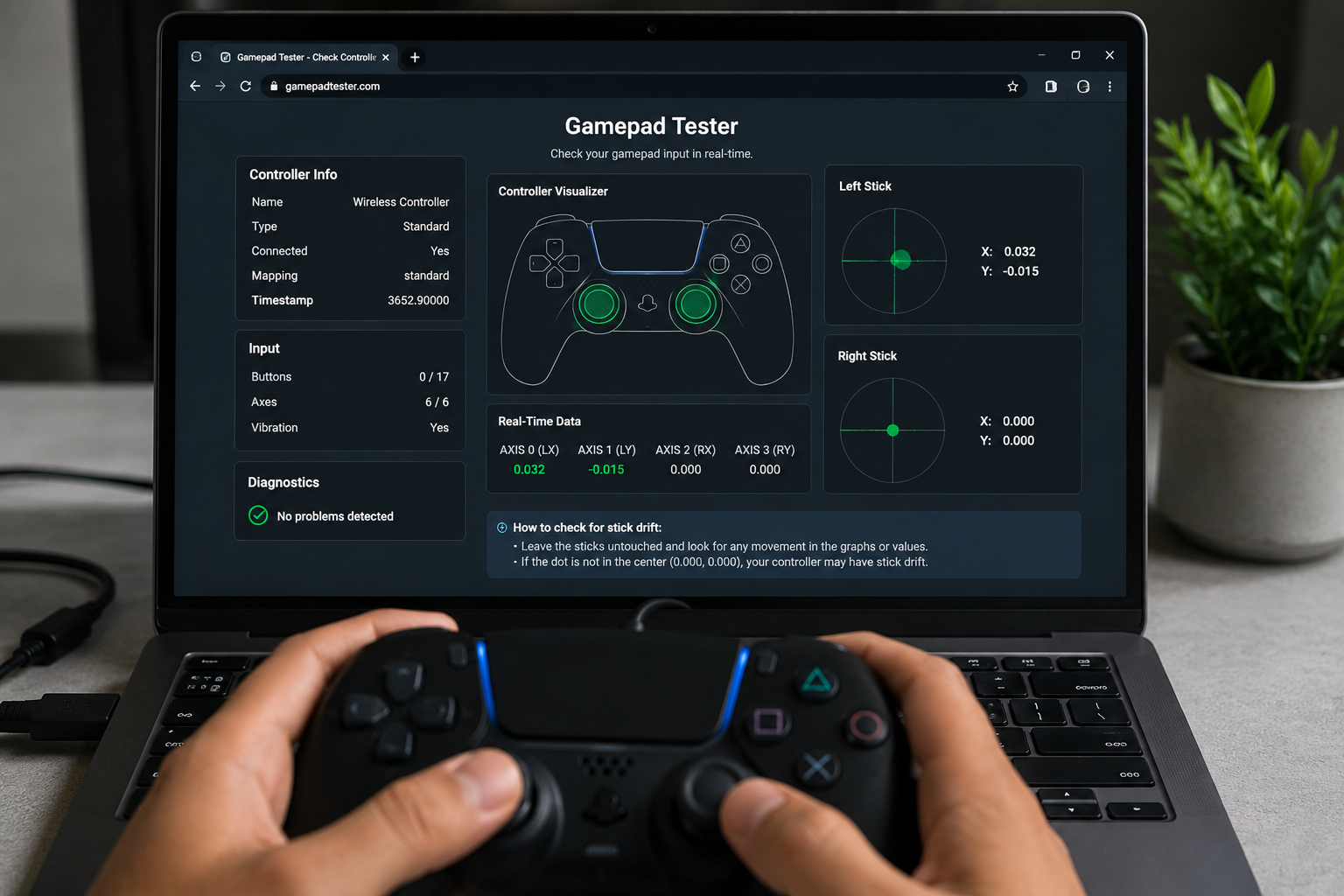
The fastest way to confirm stick drift is to use an online stick drift tester. It reads your controller input in real time and shows you exactly what the analog stick is doing. You do not need to install anything — just connect your controller and open the tool in your browser.
Here is what to do:
- Connect your controller via USB or Bluetooth.
- Press any button to make sure it is recognized by the browser.
- Open the stick drift tester and watch the on-screen indicator.
- Leave both sticks completely untouched for several seconds.
- Move each stick in all directions, then release and watch whether it returns smoothly to center.
If the indicator drifts away from center while the stick is untouched, or if it fails to return properly after being released, drift is confirmed.
How to Fix Stick Drift
Start with the simplest options first and work your way up:
1. Clean Around the Analog Stick
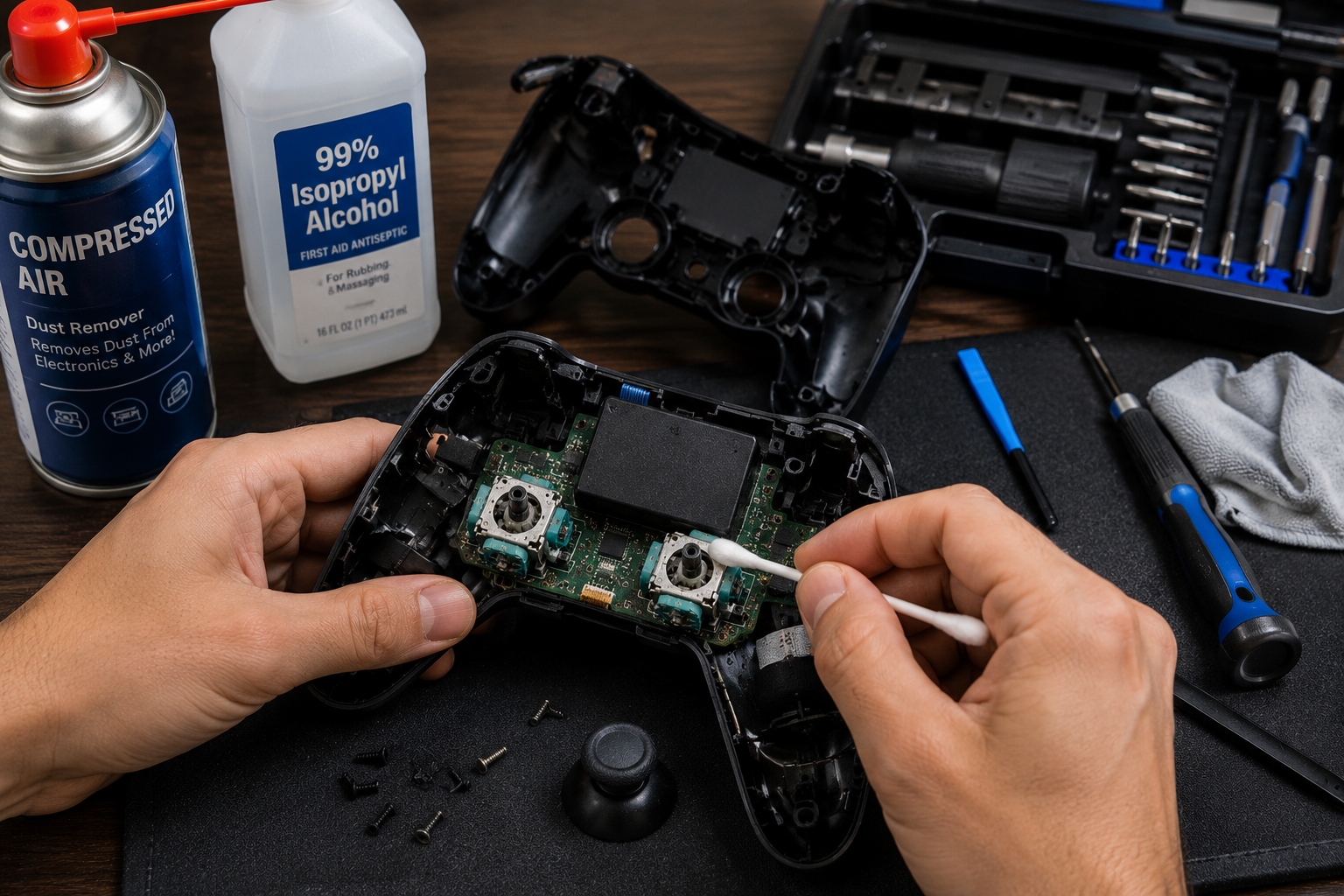
Hold the joystick to one side to expose the base, then use short bursts of compressed air to blow out any dust or debris. Alternatively, dip a cotton swab in isopropyl alcohol (90% or higher) and clean around the base of the stick. Let it dry completely before testing again. This fix works surprisingly often when the drift is caused by contamination.
2. Reset the Controller
A factory reset clears temporary software issues. On a PS5 DualSense, use a paperclip to press the reset button on the back for about five seconds, then reconnect. On Xbox, restart the console and re-pair the controller. After resetting, run the drift test again to check whether it helped.
3. Update the Firmware
Controller manufacturers release firmware updates that address input bugs and stability problems. Check your console settings for available controller updates and install any that are pending. It takes a few minutes and sometimes resolves drift completely.
4. Recalibrate the Analog Stick
Use the calibration tool built into your platform or operating system to reset the stick's neutral position. Follow the on-screen instructions carefully. This is especially effective when drift is caused by calibration errors rather than physical wear.
5. Adjust the Deadzone
Increasing the deadzone in your game settings tells the game to ignore small joystick movements near center. This does not fix the underlying problem but can make the game playable again while you work on a permanent solution. Think of it as a temporary workaround, not a cure.
6. Replace the Analog Module
If none of the above works, the potentiometers are likely worn out and the analog module needs to be replaced. This requires opening the controller, but replacement parts are widely available and relatively affordable. If the controller is still under warranty, contact the manufacturer before attempting any repairs yourself.
How to Prevent Stick Drift
You cannot eliminate the risk entirely, but these habits will slow down the wear significantly:
- Clean your controller regularly, especially around the analog sticks.
- Avoid pressing the joystick down hard against its limits during intense gameplay moments.
- Store the controller in a clean, dry place away from dust and moisture.
- Test your controller periodically so you catch early drift before it gets worse.
Frequently Asked Questions
Is stick drift a hardware or software problem?
It can be either. Calibration errors are software-related and often fixable without any repairs. Worn potentiometers or physical damage are hardware issues that usually require cleaning, recalibration, or part replacement.
Can dust really cause stick drift?
Yes, and it is more common than most people think. Dust interferes with the sensors that measure joystick position. A thorough clean fixes the problem in a lot of cases.
Does resetting the controller fix stick drift?
It can, but only when the cause is software-related. If the hardware is worn or dirty, a reset will not make a difference on its own.
Which controller drifts the most?
Nintendo Switch Joy-Cons have the most widely reported drift issues by far. PS5 DualSense controllers have also received significant complaints. That said, any controller can develop drift given enough use.
Can stick drift be fixed permanently?
Yes. Cleaning or recalibration can permanently fix drift caused by contamination or calibration errors. For worn hardware, replacing the analog module is the permanent solution.